
Scan
Gallery Checkup splits your library into bundles - screenshots, similar photos, long videos, blurry shots, RAW/JPEG pairs, social saves, Live Photos, bursts, and more. You're judging context, not a wall of thumbnails.
Gallery Checkup scans your library on device and sorts it into bundles: screenshots, long videos, duplicates. You review one photo at a time, and nothing is deleted until you approve it.
Review before deletion. Recover items while they remain in Recently Deleted.
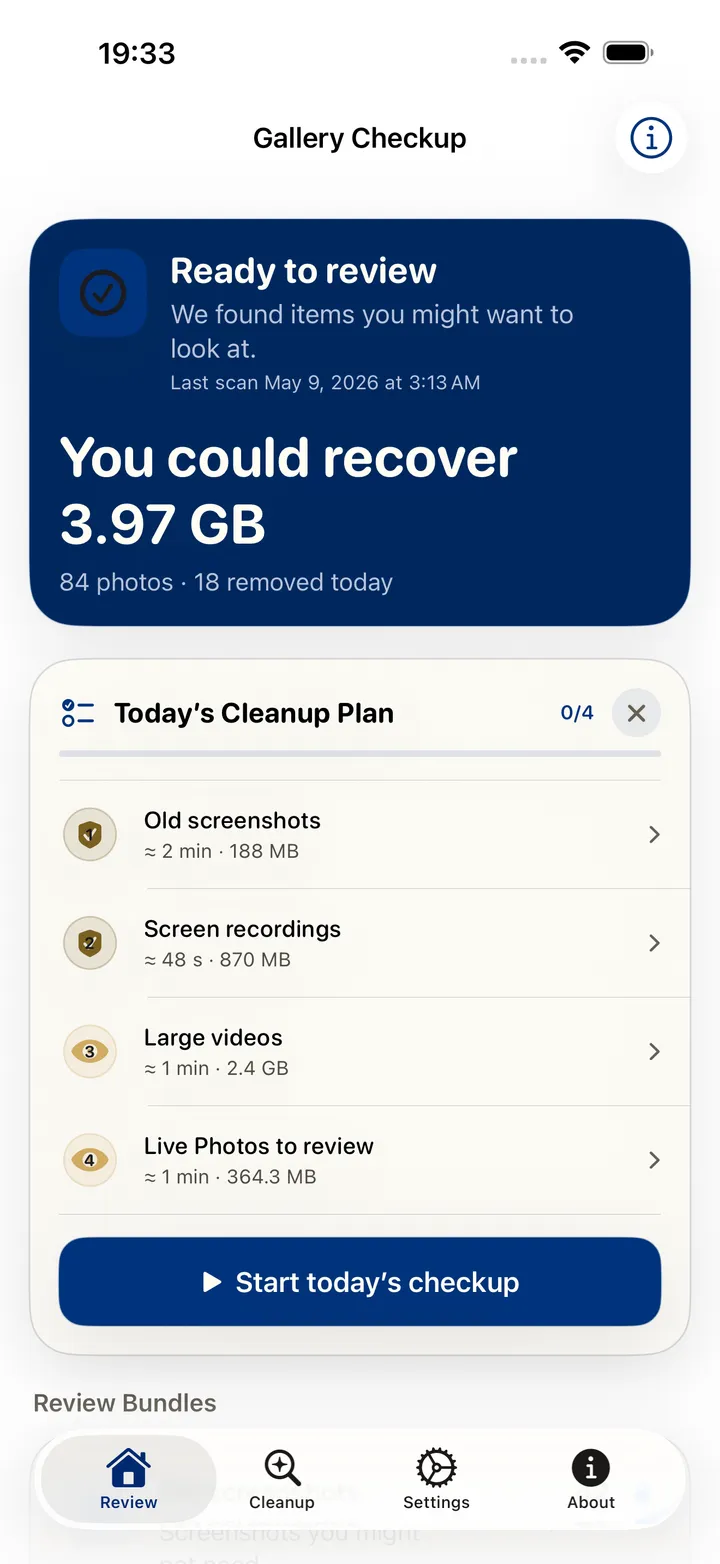
Reclaimable now
3.97 GB
84 photos across 4 bundles
Old screenshot
A screenshot from two years ago that you have not opened since.
Screenshots older than 12 months that were never favourited, edited, or shared are grouped together. The date, the file type, and the lack of later activity are the only signals used, and all three were read on this device.
Favorites and Protected People & Pets never enter the review.
Try it here
The same loop as the app: a plain-language reason, then Keep, Remove, or Decide later.
You confirm each removal. Photos normally keeps deleted items for 30 days, unless you permanently delete them sooner.
How it works
Gallery Checkup splits your library into bundles - screenshots, similar photos, long videos, blurry shots, RAW/JPEG pairs, social saves, Live Photos, bursts, and more. You're judging context, not a wall of thumbnails.
Type “old screenshots” or “biggest videos” and the assistant pulls up the matching bundle. With Apple Intelligence on your device, the summaries get sharper.
You approve every deletion, bundle by bundle. Photos normally keeps removed items for 30 days unless you permanently delete them sooner.
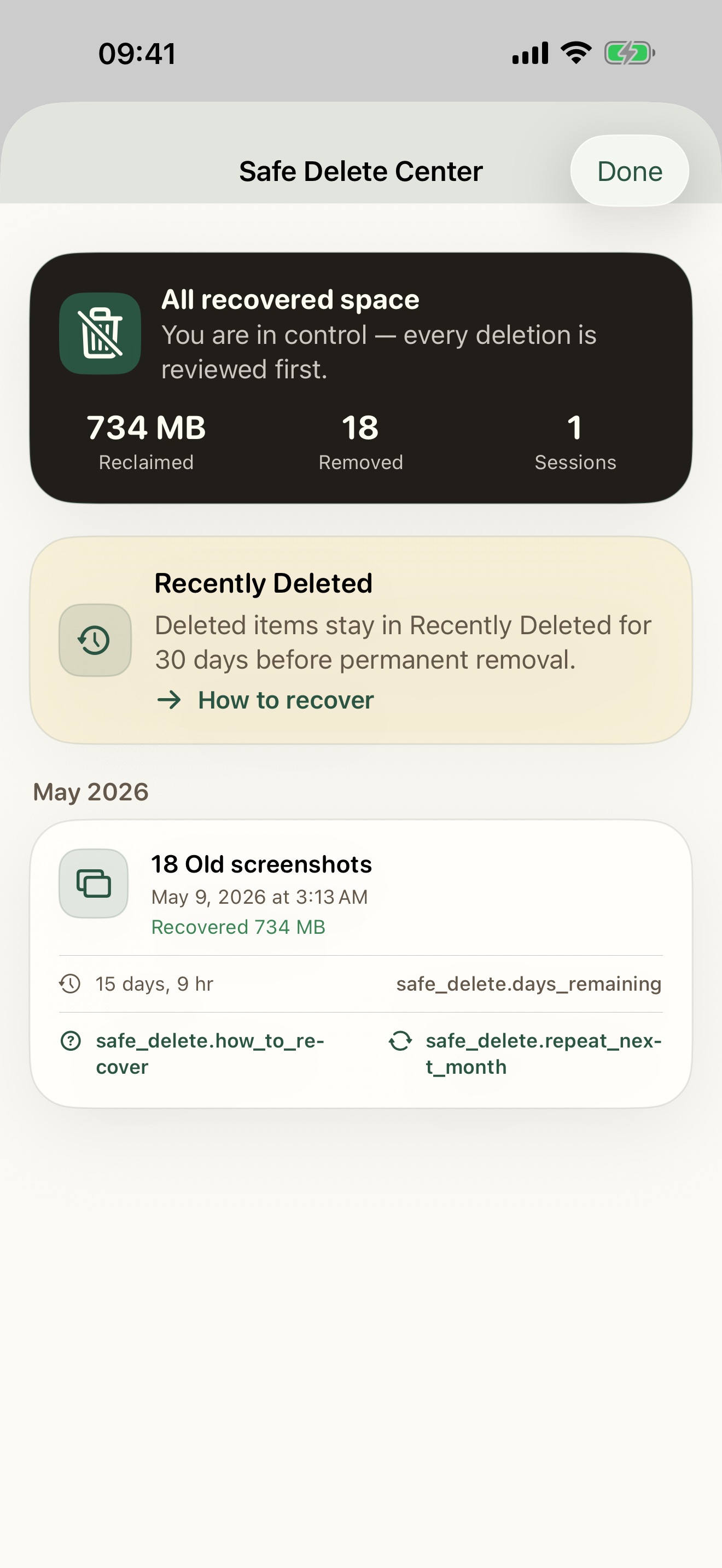 Up to 30 days to recover
 Safe by design
You confirm removals. Recently Deleted normally keeps items for 30 days. Permanent deletion ends recovery sooner; iCloud Photos also syncs deletions.
Reviewed before anything is removed
Up to 30 days in Recently Deleted
Recovery steps for items still in Recently Deleted
Review assistant
Pick a question and watch the bundles re-rank, each with its item count and size. The assistant only searches what is already scanned on your device: no new scan, no upload.
With Apple Intelligence on the device, the summaries get sharper. Without it, the ranking still works, because it is reading the scan you already ran.
Bar length shows relative size, not a match score.
Receipt detected
The total, date, and merchant can be saved as a note before the screenshot goes.
Save before delete
Some screenshots are holding something you still need. Gallery Checkup offers to keep the useful part before the image goes.
Protected Memories
Protect these from ever appearing in cleanup.
Access
Pick any bundle and review it completely at no cost. This website will never ask you for a login or a credit card.
One free bundle · unlock the rest with a subscription or a one-time Lifetime purchase, inside the app.
Privacy
No account to use the app or this website.
Gallery Checkup does not upload your photos. iCloud Photos follows your Apple settings.
Protected People & Pets keeps the ones you love out of the suggestions.
Scan coverage reports show what got checked and what didn’t.
No. Every scan runs on your iPhone or iPad. Nothing about your photos leaves the device.
No. Not in the app, not on the website.
Yes. Pick any one bundle and review it completely, free. To unlock the rest you can subscribe monthly or yearly, or buy Lifetime once. All three unlock the same thing, and everything is bought inside the app.
Photos normally keeps deleted items in Recently Deleted for 30 days. Permanent deletion ends recovery sooner. iCloud Photos also syncs deletions across your devices. Gallery Checkup cannot recover permanently deleted files.
English and Brazilian Portuguese. More are coming.
A calm, safe way to free up space on your iPhone when storage is full: start with Apple's own settings, then clear photos and videos bundle by bundle.
Why screenshots pile up, how to delete iPhone screenshots safely in one pass, and how to stop the pile from growing back.
Reduce a video file on iPhone with trim or compression. Choose a resolution, check the saved copy, and compare actual file sizes before deleting the original.